Pattern Landing Page

Maze Patterns for Laser Cutting

The Maze Generator lets you customize maze layouts online and export production-friendly SVG or DXF files. Use the live controls to tune the geometry, preview the output, and create clean vector files for laser cutting, CNC routing, or decorative panel work.
7Adjustable controls
4Common applications
SVG / DXFPrimary fabrication exports
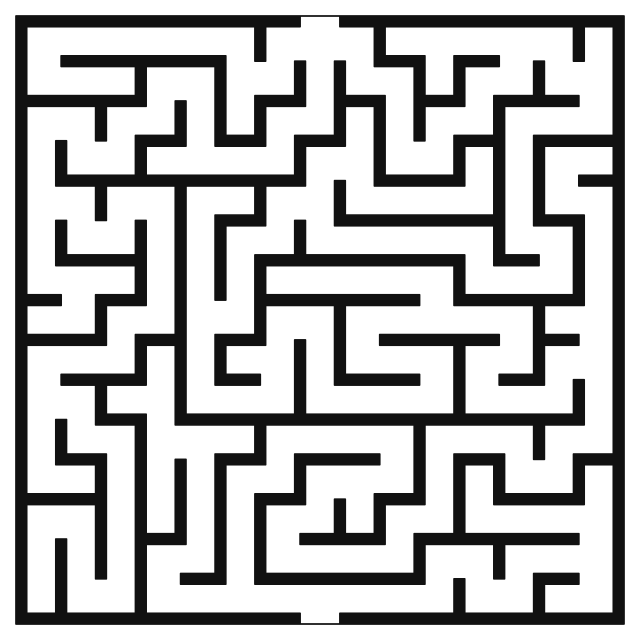
Maze preview
Best Entry Point
Start with the generator

Use the landing page for discovery, then move straight into the live tool to dial in spacing, size, and export-ready geometry.

Typical Outcomes
Laser cutting projectsCNC-ready vector designDecorative panel layoutsCustom fabrication files
Workflow

Go from concept to export

This page is meant to rank for search intent, but the generator is where the real work happens. Open the pattern, adjust the geometry, then export the version that matches your material and machine setup.

Controls

What you can customize

Generator Control
Width
Built into the live editor so you can refine this pattern before export.
Generator Control
Height
Built into the live editor so you can refine this pattern before export.
Generator Control
Cols
Built into the live editor so you can refine this pattern before export.
Generator Control
Rows
Built into the live editor so you can refine this pattern before export.
Generator Control
Seed
Built into the live editor so you can refine this pattern before export.
Generator Control
Wall Thickness
Built into the live editor so you can refine this pattern before export.
Generator Control
Show Solution
Built into the live editor so you can refine this pattern before export.
Use Cases

Where this pattern fits best

Fabrication Idea
Laser cutting projects
A practical starting point for turning the pattern into a cut-ready design.
Fabrication Idea
CNC-ready vector design
A practical starting point for turning the pattern into a cut-ready design.
Fabrication Idea
Decorative panel layouts
A practical starting point for turning the pattern into a cut-ready design.
Fabrication Idea
Custom fabrication files
A practical starting point for turning the pattern into a cut-ready design.
Explore Next

Related pages and pattern families

FAQ

Frequently asked questions

What can I do with the maze generator?

You can adjust the pattern settings in your browser, preview the result immediately, and export SVG or DXF files for digital fabrication workflows.

Is the maze export suitable for laser cutting?

Yes. CutMaker is designed to generate clean vector geometry that you can take into a laser cutting or CNC workflow after checking your machine settings and material constraints.

Can I share a saved version of this pattern?

Yes. Saved generator states get their own shareable URL, while the main generator page remains the canonical page for search engines.